<?xml version="1.0" encoding="utf-8"?><feed xmlns="http://www.w3.org/2005/Atom" ><generator uri="https://jekyllrb.com/" version="4.2.2">Jekyll</generator><link href="https://thebrokenrail.com/feed.xml" rel="self" type="application/atom+xml" /><link href="https://thebrokenrail.com/" rel="alternate" type="text/html" /><updated>2026-03-05T11:39:11-05:00</updated><id>https://thebrokenrail.com/feed.xml</id><title type="html">TheBrokenRail</title><subtitle>TheBrokenRail's personal website!</subtitle><author><name>TheBrokenRail</name></author><entry><title type="html">After nine years, Ninja has merged support for the GNU Make jobserver</title><link href="https://thebrokenrail.com/2025/06/30/ninja-jobserver.html" rel="alternate" type="text/html" title="After nine years, Ninja has merged support for the GNU Make jobserver" /><published>2025-06-30T00:00:00-04:00</published><updated>2025-06-30T00:00:00-04:00</updated><id>https://thebrokenrail.com/2025/06/30/ninja-jobserver</id><content type="html" xml:base="https://thebrokenrail.com/2025/06/30/ninja-jobserver.html"><![CDATA[<p align="center"><img src="/assets/images/blog/ninja-jobserver/2506.png" /></p>

<p>Over nine years ago, on April 27, 2016, an <a href="https://github.com/ninja-build/ninja/issues/1139">issue</a> was opened on the <a href="https://github.com/ninja-build/ninja/issues">Ninja GitHub issue tracker</a> requesting support for the GNU Make jobserver. Now, after <a href="https://github.com/ninja-build/ninja/pull/2474">multiple</a> <a href="https://github.com/ninja-build/ninja/pull/2450">failed</a> <a href="https://github.com/ninja-build/ninja/pull/1140">pull requests</a> and a <a href="https://github.com/Kitware/ninja">few</a> <a href="https://aur.archlinux.org/packages/ninja-jobserver">soft</a> <a href="https://fuchsia.dev/fuchsia-src/development/build/ninja_fuchsia_improvements#feature_gnu_make_jobserver_support">forks</a>, it has finally been <a href="https://github.com/ninja-build/ninja/pull/2506">added</a> and <a href="https://github.com/ninja-build/ninja/releases/tag/v1.13.0">released</a>.</p>

<p>And I promise you: this is awesome!</p>

<h2 id="what-does-this-solve">What does this solve?</h2>

<p><a href="https://ninja-build.org/">Ninja</a> is a build system like <a href="https://www.gnu.org/software/make/">GNU Make</a>: you give it the list of files you want created (the outputs), how it should create them (the rules), and what each one’s dependencies are (the inputs). But you need to ensure it creates files in parallel when possible. It must not re-create files that already exist, but must re-create files when inputs change. Many other tiny annoying details need to be handled as well.</p>

<p>Let’s focus on one specific detail: parallelism. Almost all build systems run in parallel to maximize resource utilization and minimize execution time. Ninja specifically defaults to running one process per CPU thread. This works great most of the time!</p>

<p>Except… what if one of those processes is another instance of Ninja? Now in the worst-case scenario (assuming an 8-core/16-thread CPU), you have the parent instance of Ninja managing 16 processes and another child instance managing 16 more threads! That adds up to 32 processes total on an eight-core CPU. You can see how this can quickly get out of hand and lead to massive resource over-utilization and even system freezes.</p>

<p>There are ways to work around this. For instance, you can disable parallelism on the child Ninja instance(s), but while that will fix over-utilization, it will lead to resource under-utilization and slower execution times. You can also try manually tweaking parallelism levels. However, that will cause inconsistent and inefficient behavior when using multiple build machines.</p>

<p>And this is a real problem affecting real projects. Features like <a href="https://cmake.org/cmake/help/latest/module/ExternalProject.html">CMake’s <code class="language-plaintext highlighter-rouge">ExternalProject</code></a> often lead to recursive Ninja calls. These recursive calls can easily cause the parallelism problem described above. For reference, see <a href="https://groups.google.com/g/ninja-build/c/AAuTlZp57f0">these</a> <a href="https://discourse.cmake.org/t/efficiency-issues-with-externalproject-sub-builds-under-ninja/3241">discussion</a> <a href="https://gitlab.kitware.com/cmake/cmake/-/issues/21597#note_1208049">posts</a>.</p>

<p>But what if I told you this problem has already been solved… back in <a href="https://cgit.git.savannah.gnu.org/cgit/make.git/commit/?id=fc0fe4103ac983d88b83dad0daf97664ffa8e04b">1999</a>?</p>

<h2 id="introducing-the-gnu-make-jobserver">Introducing: The GNU Make Jobserver</h2>

<p><a href="https://cgit.git.savannah.gnu.org/cgit/make.git/tree/NEWS?id=d523661ce21a16535d53fe56a3d3d8824432e18e#n1180">GNU Make 3.78</a> introduced a new feature: the <a href="https://www.gnu.org/software/make/manual/html_node/Job-Slots.html">jobserver</a>.</p>

<p>This was created because GNU Make experienced the same problem as Ninja: recursive GNU Make calls could easily cause resource over-utilization and system freezes. Previously, this had been “solved” by disabling parallelism in child GNU Make calls, but as I mentioned earlier, this led to resource under-utilization and longer build times.</p>

<p>The jobserver was a proper solution. The parent GNU Make instance would act as the server. All child instances would be clients. Anytime a client wanted to launch a process, it would ask the server to tell it when it was allowed to. This allowed the server to ensure resources were not over- or under-utilized.</p>

<p>So, if GNU Make had this problem solved for such a long time, why did people experiencing it keep using Ninja? Well, unfortunately many tools like <a href="https://mesonbuild.com/">Meson</a> did not support GNU Make. This meant developers still needed Ninja.</p>

<p>Over the years, this has led to a few soft forks of Ninja where the sole change was merging jobserver support (including <a href="https://github.com/Kitware/ninja">one</a> from <a href="https://www.kitware.com/">Kitware</a>, the company behind CMake).</p>

<p>Thankfully, as of this blog post, Ninja now supports the exact same tried-and-tested jobserver protocol. That means the problem is completely solved, right? …Right?</p>

<h2 id="whats-the-catches">What’s the catch(es)?</h2>

<p>As you might have guessed, there are multiple catches.</p>

<p>For one, Ninja only implements support for the jobserver <em>client</em>. Without a corresponding server, it cannot actually do anything. This means you either need to run your Ninja instance inside an instance of GNU Make or <a href="https://github.com/ninja-build/ninja/blob/656412538b6fc102b809a61e0efce422e5a20534/misc/jobserver_pool.py">some other server implementation</a>.</p>

<p>Another issue is that on Linux it only supports the <a href="https://www.gnu.org/software/make/manual/html_node/POSIX-Jobserver.html">named pipe/FIFO implementation</a> of the jobserver. This was released with <a href="https://lists.gnu.org/archive/html/help-make/2022-10/msg00020.html">GNU Make 4.4</a> back in October 2022, which was only added to <a href="https://wiki.debian.org/DebianTrixie">Debian Trixie</a> just a few months ago, in <a href="https://metadata.ftp-master.debian.org/changelogs//main/m/make-dfsg/make-dfsg_4.4.1-2_changelog">December 2024</a>. This means you will need an extremely recent OS. Otherwise, GNU Make’s jobserver will not be compatible with Ninja.</p>

<p>And finally, as of writing this post, <a href="https://github.com/ninja-build/ninja/releases/tag/v1.13.0">Ninja v1.13.0</a> (the version containing jobserver support) is less than a week-old. It will take a while before it is included in major package repositories. Until then, you will probably have to compile it from source code or use third-party binaries.</p>

<h2 id="conclusion">Conclusion</h2>

<p>While I might have been nitpicky, this is a major improvement. This will give many Ninja-based projects an immediate performance improvement with minimal required changes. I certainly cannot complain too much about that.</p>]]></content><author><name>TheBrokenRail</name></author><summary type="html"><![CDATA[]]></summary></entry><entry><title type="html">The challenge of updating InsydeH2O UEFI with Linux</title><link href="https://thebrokenrail.com/2024/09/29/the-challenge-of-insyde-h2o.html" rel="alternate" type="text/html" title="The challenge of updating InsydeH2O UEFI with Linux" /><published>2024-09-29T00:00:00-04:00</published><updated>2024-09-29T00:00:00-04:00</updated><id>https://thebrokenrail.com/2024/09/29/the-challenge-of-insyde-h2o</id><content type="html" xml:base="https://thebrokenrail.com/2024/09/29/the-challenge-of-insyde-h2o.html"><![CDATA[<p align="center"><img alt="The Predicament" src="/assets/images/blog/the-challenge-of-insyde-h2o/the-predicament.png" /></p>

<p>Fun fact about me: I am the weirdo who always updates the UEFI even though it is not technically necessary. It just makes me feel better to know everything is up to date. Particularly because every update’s changelog always lists an impressive collection of security bug fixes.</p>

<p>The problem is that my laptop does not support updating the UEFI from within Linux. Lenovo does not submit updates to <a href="https://fwupd.org/">LVFS</a> for my laptop. Additionally, they do not release a Linux version of the update tool or a generic UEFI shell version.</p>

<p>This is especially annoying because Lenovo does all of that for other laptops. Unfortunately, my laptop uses <a href="https://www.insyde.com/products">InsydeH2O</a> UEFI, and it seems that Lenovo laptops with this firmware do not support updates without Windows.</p>

<p>This leaves me in quite a predicament if I want to update my laptop’s UEFI.</p>

<h2 id="why-not-just-use-windows">Why not just use Windows?</h2>

<p>Now, I am sure you are thinking “just swallow your pride and use Windows.” And that is what I did… the first time.</p>

<p>Sadly, because the InsydeH2O update tool does not support running in <a href="https://learn.microsoft.com/en-us/windows-hardware/manufacture/desktop/winpe-intro?view=windows-11">Windows PE</a>, I had to create a full-blown Windows installation. This was a lengthy process that involved setting up a Windows VM and then using <a href="https://rufus.ie/en/">Rufus</a> (a Windows-only tool) to create a <a href="https://en.wikipedia.org/wiki/Windows_To_Go?useskin=vector">Windows To Go</a> USB.</p>

<p>This worked! I had successfully updated my laptop’s UEFI.</p>

<p>Then, an update broke my Windows To Go USB and I was not willing to go through that whole process again. So, I began to search for a better solution.</p>

<h2 id="attempt-1-the-ubuntu-wiki">Attempt #1: The Ubuntu Wiki</h2>

<p align="center"><img alt="The State Of The Ubuntu Wiki" src="/assets/images/blog/the-challenge-of-insyde-h2o/state-of-ubuntu-wiki.png" /></p>

<p>The first resource I found was <a href="https://help.ubuntu.com/community/FimwareUpgrade/Insyde">this page</a> on the <a href="https://help.ubuntu.com/community/CommunityHelpWiki">Ubuntu Community Help Wiki</a>. My hopes were quickly dashed when I realized the page was last updated in 2021 and the instructions section only contained a placeholder: “This paragraph is yet to be written.” This is, frankly, pretty consistent with the rest of the wiki.</p>

<p>It did give me an idea though: the page revealed that a Linux version of the update tool existed. I thought that if I could find a copy, I could use it on my laptop! I was eventually able to find a copy of this tool (version <code class="language-plaintext highlighter-rouge">200.01.00.10</code>) in the <a href="https://en.wikipedia.org/wiki/Steam_Deck?useskin=vector">Steam Deck</a>’s software. That is when I learned a devastating truth: a Linux version of the updater exists, but only for the “server/embedded” platform.</p>

<p>You see, there are two versions of the InsydeH2O update tool. There is the “server/embedded” platform (with versions like <code class="language-plaintext highlighter-rouge">200.02.00.08</code>) for devices like the Steam Deck, and the “client” platform (with versions like <code class="language-plaintext highlighter-rouge">6.60</code>) for devices like my laptop. Additionally, the “client” platform only supports updates via Windows or the UEFI shell.</p>

<h2 id="attempt-2-intertoolx64efi">Attempt #2: <code class="language-plaintext highlighter-rouge">InterToolx64.efi</code></h2>

<p>After that failure, I continued searching for a solution. Eventually, I found a glimmer of hope!</p>

<p>A <a href="https://www.reddit.com/r/Fedora/comments/18r700w/comment/kf3ygmi/">Reddit comment</a> claimed that if I extracted the <code class="language-plaintext highlighter-rouge">InterToolx64.efi</code> file from the Windows update tool, I could make my own bootable UEFI update USB.</p>

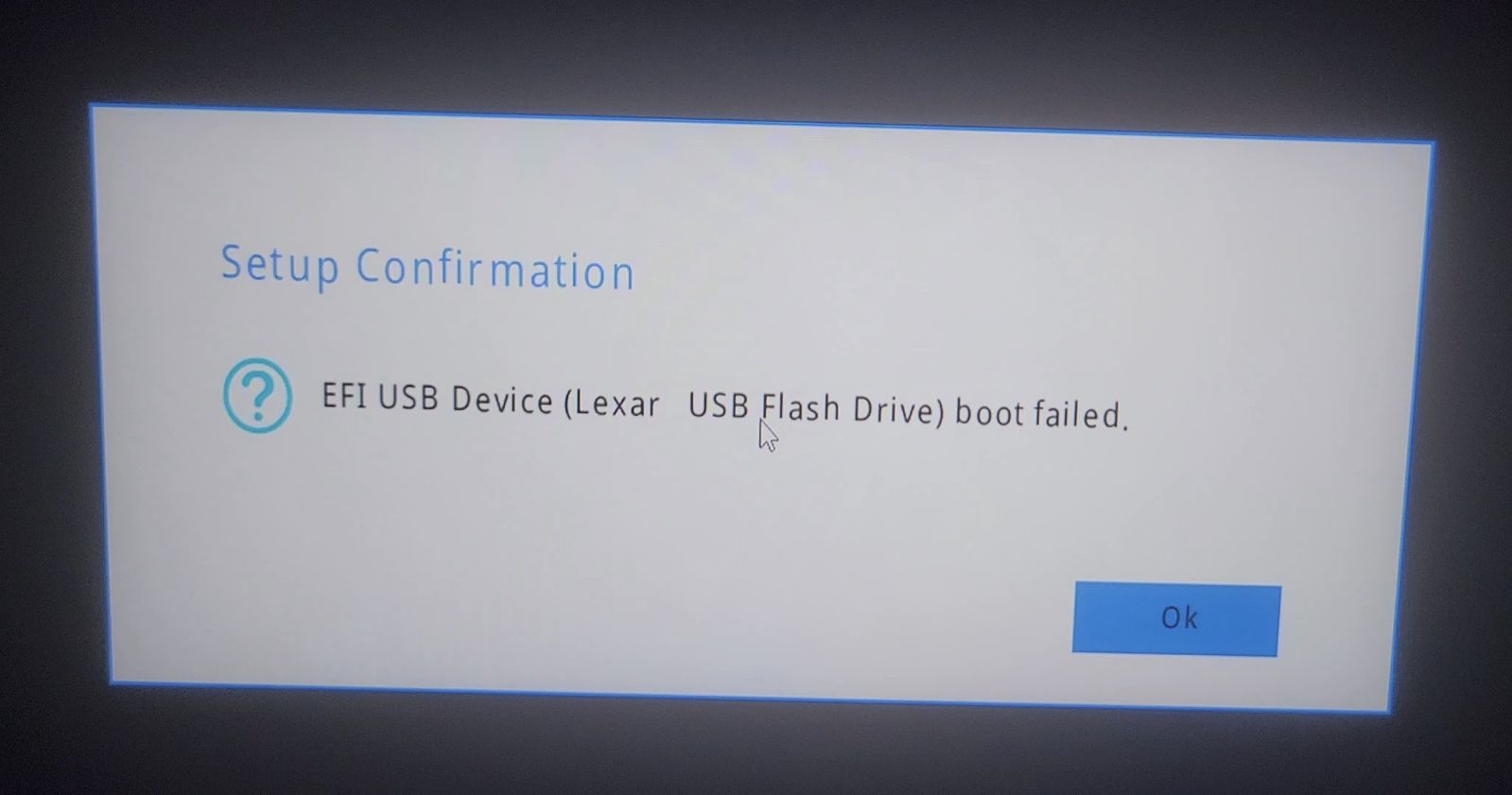
<p align="center"><img alt="InterTool's Failure" src="/assets/images/blog/the-challenge-of-insyde-h2o/intertool-failure.jpeg" /></p>

<p>Unfortunately, this did not work. The <code class="language-plaintext highlighter-rouge">InterTool.Log</code> file reported an issue with <code class="language-plaintext highlighter-rouge">platform.ini</code>, and I could not determine the cause. I found a <a href="https://forums.lenovo.com/t5/Gaming-Laptops/Legion-Pro-5-16IRX8-failed-BIOS-Update-for-KWCN42WW/m-p/5304920?page=1#6322691">forum post</a> from someone experiencing a similar issue, but Lenovo support was… less than helpful.</p>

<h2 id="attempt-3-scavenging">Attempt #3: Scavenging</h2>

<p>My last hope was simple: find a manufacturer that offered the UEFI shell version of the “client” platform update tool and use that.</p>

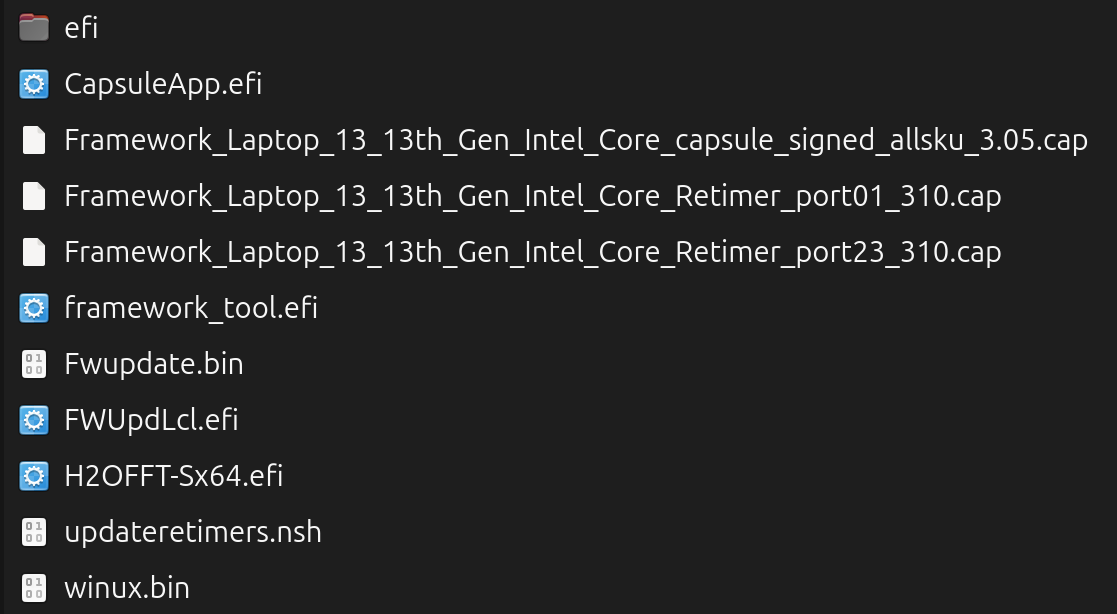
<p align="center"><img alt="Framework Laptop UEFI Update" src="/assets/images/blog/the-challenge-of-insyde-h2o/framework-update.png" /></p>

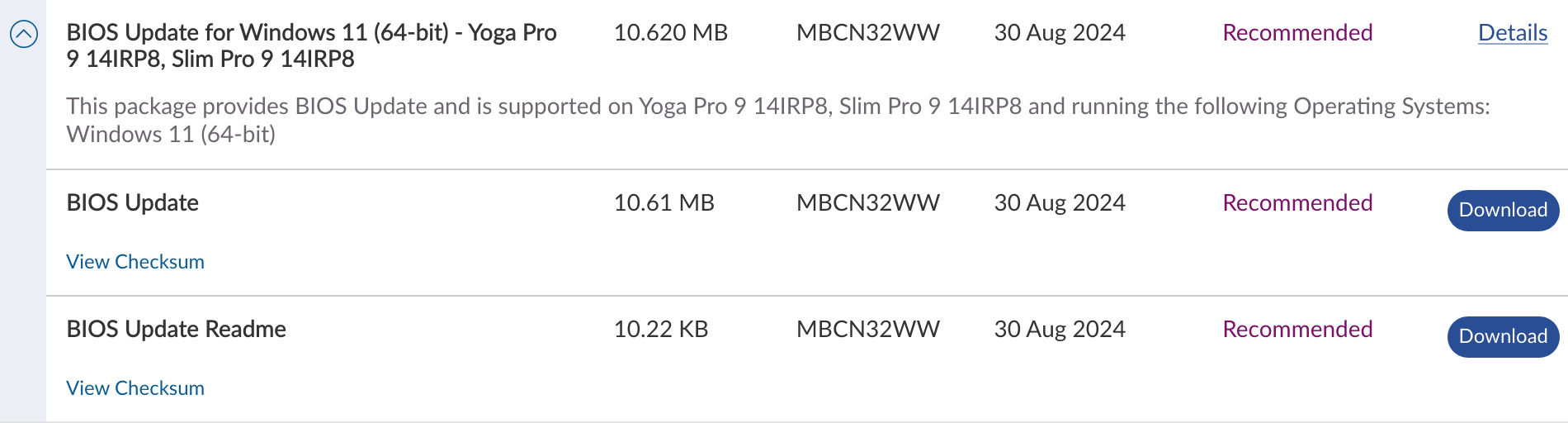
<p>The <a href="https://knowledgebase.frame.work/en_us/framework-laptop-bios-and-driver-releases-13th-gen-intel-core-BkQBvKWr3">Framework Laptop</a> also uses InsydeH2O and provides a UEFI shell version of the update tool. So, I extracted <code class="language-plaintext highlighter-rouge">H2OFFT-Sx64.efi</code> from their update package and combined it with firmware extracted from my laptop’s update package to create my own UEFI update USB.</p>

<p>Finally, I had managed to update my laptop’s UEFI!</p>

<p>However, I was not out of the woods yet…</p>

<h2 id="enter-intel-me">Enter: Intel ME</h2>

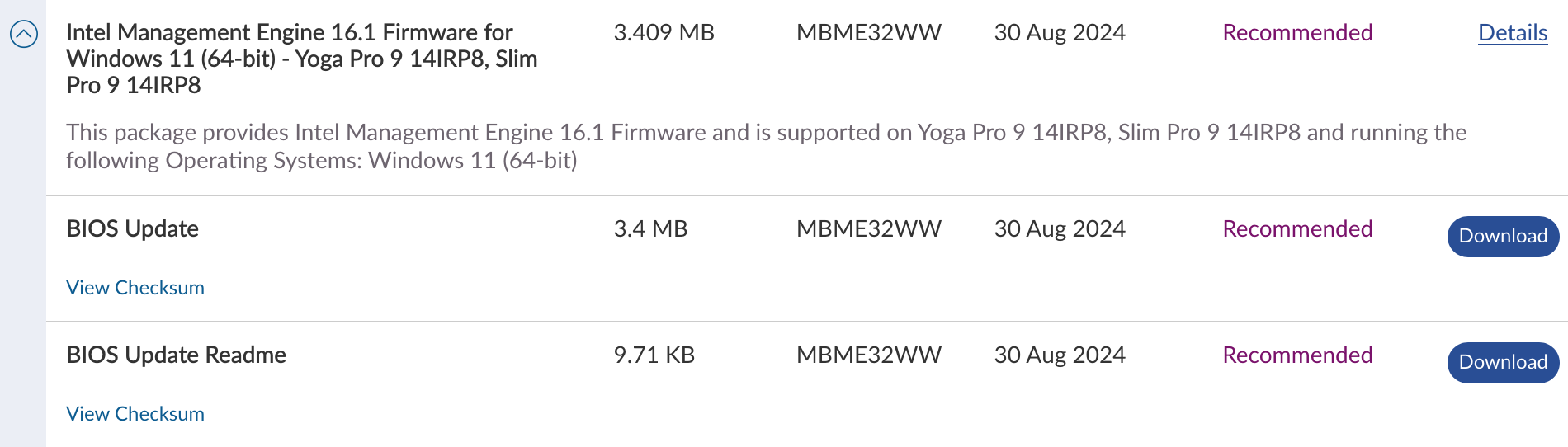
<p align="center"><img alt="The Predicament 2.0" src="/assets/images/blog/the-challenge-of-insyde-h2o/the-predicament-v2.png" /></p>

<p>You see, the <a href="https://www.intel.com/content/www/us/en/support/articles/000008927/software/chipset-software.html">Intel ME</a> requires its own firmware, which must be updated separately. Once again, Lenovo only provided the Windows update tool.</p>

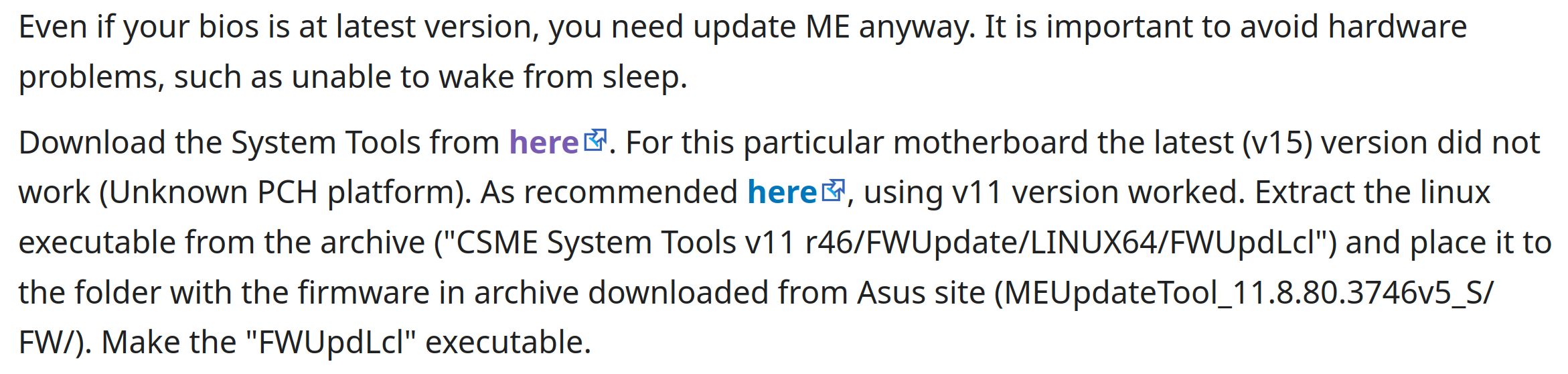
<p align="center"><img alt="The Intel ME Solution" src="/assets/images/blog/the-challenge-of-insyde-h2o/intel-me-solution.png" /></p>

<p>Thankfully, this time the Arch Wiki provided a <a href="https://wiki.archlinux.org/title/Flashing_BIOS_from_Linux?useskin=vector#ASUS">solution</a>! Unfortunately, this solution is highly problematic. However, I did not have any better options.</p>

<p>The recommended solution is as follows:</p>
<ol>
  <li>Go to this <a href="https://winraid.level1techs.com/c/special-topics/intel-management-engine/24/none">specific internet forum</a>.</li>
  <li>Find the <a href="https://winraid.level1techs.com/t/intel-cs-management-engine-drivers-firmware-and-tools-for-cs-me-16/89959">thread</a> that corresponds to your version of Intel ME (v16.1 for me).</li>
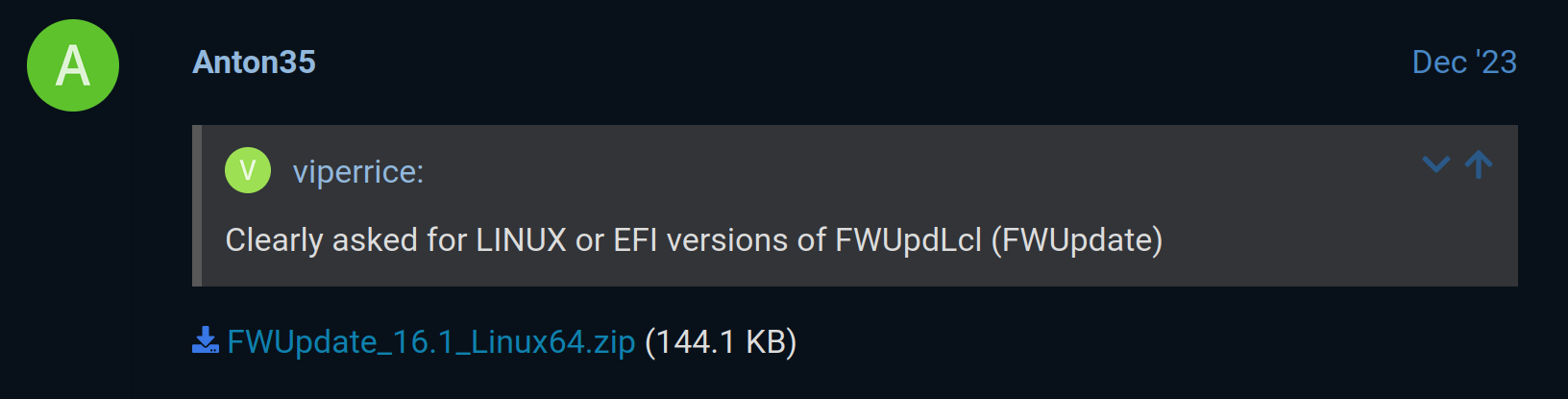
  <li>Find someone in that thread offering a download link to the Linux version of <code class="language-plaintext highlighter-rouge">FWUpdLcl</code>.</li>
  <li>Download it and run it as <code class="language-plaintext highlighter-rouge">root</code> with the firmware extracted from the Windows version of the update tool.</li>
</ol>

<p align="center"><img alt="Intel ME Update Tool Download Link" src="/assets/images/blog/the-challenge-of-insyde-h2o/intel-me-download.png" /></p>

<p>It is well known that downloading binaries from unverified sources (and running them as <code class="language-plaintext highlighter-rouge">root</code>) is a significant security risk. Sadly, Intel does not allow downloading the update tool standalone, so I had no other option.</p>

<p>This could potentially lead to severe system compromise, including malware or unauthorized access. I was lucky not to encounter any issues, but I would strongly advise against this approach.</p>

<p>Thankfully, in this case, it worked.</p>

<h2 id="conclusion">Conclusion</h2>

<p>Normally, I understand why companies do not support Linux, even though I may not like it. Because it does cost money to maintain and support a Linux port.</p>

<p>However, in this case, I do not understand it. Especially because they already maintain one! Intel already has a Linux version of the Intel ME update tool! And Insyde has a UEFI shell version of their update tool!</p>

<p>Ultimately, I successfully updated my laptop’s UEFI. However, this required scouring the internet for update tools and downloading them from potentially untrustworthy sources. Nothing prevents Lenovo from adding these tools to their driver download page.</p>

<p>But Lenovo is not solely responsible for this situation. Intel could also allow downloading their update tool standalone! And so could Insyde! Any of these three companies could make this situation better by just adding a download link to their website. An official download, even if it was not supported, would be a vast improvement simply because it would nullify the risk of malware.</p>

<p>There is no technical reason this situation exists. There is no port that has to be written or compatibility issues to fix. This situation exists solely because these companies do not care.</p>]]></content><author><name>TheBrokenRail</name></author><summary type="html"><![CDATA[]]></summary></entry><entry><title type="html">A tale of Debian, Mesa, and ancient OpenGL</title><link href="https://thebrokenrail.com/2024/02/23/a-tale-of-ancient-opengl.html" rel="alternate" type="text/html" title="A tale of Debian, Mesa, and ancient OpenGL" /><published>2024-02-23T00:00:00-05:00</published><updated>2024-02-23T00:00:00-05:00</updated><id>https://thebrokenrail.com/2024/02/23/a-tale-of-ancient-opengl</id><content type="html" xml:base="https://thebrokenrail.com/2024/02/23/a-tale-of-ancient-opengl.html"><![CDATA[<p align="center"><img alt="Meme" src="/assets/images/blog/a-tale-of-ancient-opengl/meme.jpg" /></p>

<p>Sometimes, software changes and bug fixes can have <a href="https://xkcd.com/1172/">unintended consequences</a>. Usually this results in things breaking. However, rarely it can result in things working when you least expect it. This tale is about both of these situations.</p>

<p>Specifically, this tale is about OpenGL ES v1.1 on Debian.</p>

<h2 id="what-is-opengl-es-v11">What is OpenGL ES v1.1?</h2>

<p>OpenGL ES v1.1 is a modified subset of OpenGL v1.3 for mobile devices. In other words, it sucks. Mainly, because:</p>

<ul>
  <li>It lacks many desktop OpenGL features.</li>
  <li>It is fixed-function only, no shaders at all!</li>
  <li>It is <em>ancient</em>. (Released in 2003!)</li>
</ul>

<p>But like many terrible technologies, sometimes you have to use them anyway.</p>

<p>In my case, I maintain a <a href="https://gitea.thebrokenrail.com/minecraft-pi-reborn/minecraft-pi-reborn">modding project</a> for a game that uses OpenGL ES v1.1. Normally, I use a <a href="https://gitea.thebrokenrail.com/minecraft-pi-reborn/gles-compatibility-layer">compatibility layer</a> that ports the game to OpenGL ES v2, but I wanted to make sure the project worked without it. And that is where this tale begins.</p>

<h2 id="december-2023-i-encounter-an-unusual-error">December 2023: I encounter an unusual error</h2>

<p>It was December 25th, 2023, and I was ready to test my project. I had quickly built a version without the compatibility layer. However, when I started it, I was blindsided by the most peculiar error:</p>

<div class="language-plaintext highlighter-rouge"><div class="highlight"><pre class="highlight"><code>GLX: Failed to create context: BadAlloc (insufficient resources for operation)
</code></pre></div></div>

<p>This error made no sense! My laptop had 32 GB of RAM and was nowhere near running out!</p>

<p>I tried everything I could think of:</p>

<ul>
  <li>I tried running a bare-bones OpenGL ES v1.1 demo program<sup id="fnref:1" role="doc-noteref"><a href="#fn:1" class="footnote" rel="footnote">1</a></sup>.</li>
  <li>I tried using EGL instead of GLX.</li>
  <li>I double-checked that <a href="https://packages.ubuntu.com/mantic/libgles1"><code class="language-plaintext highlighter-rouge">libgles1</code></a> was installed correctly.</li>
  <li>I tried using EGL with <a href="https://docs.mesa3d.org/egl.html#environment-variables">debug logging</a>.</li>
</ul>

<p>But nothing worked.</p>

<p>Ultimately, I concluded this was probably a bug in Mesa. Especially since it had worked perfectly before I upgraded to Ubuntu 23.10. Oh, how naive I was.</p>

<p>So, I built a copy of upstream Mesa (using the same version as Ubuntu), ran the OpenGL ES v1.1 test program, and… <em>it worked</em>?</p>

<p>Hours of testing later, I eventually understood why Ubuntu 23.10 broke OpenGL ES v1.1. And to explain that, we have to go all the way back to 2017!</p>

<h2 id="february-2017-debian-disables-opengl-es-v11-support-in-mesa">February 2017: Debian disables OpenGL ES v1.1 support in Mesa</h2>

<p>On February 2nd, 2017, <a href="https://salsa.debian.org/xorg-team/lib/mesa/-/commit/52112cbd59e28a568476cb60bc598d286da46258">Debian disabled OpenGL ES v1.1 support in the Mesa package</a>. I do not know why it was disabled, because no explanation was given in either the Git commit or the associated change-log<sup id="fnref:2" role="doc-noteref"><a href="#fn:2" class="footnote" rel="footnote">2</a></sup>. But <code class="language-plaintext highlighter-rouge">--disable-gles1</code><sup id="fnref:3" role="doc-noteref"><a href="#fn:3" class="footnote" rel="footnote">3</a></sup> was added to the Debian package regardless.</p>

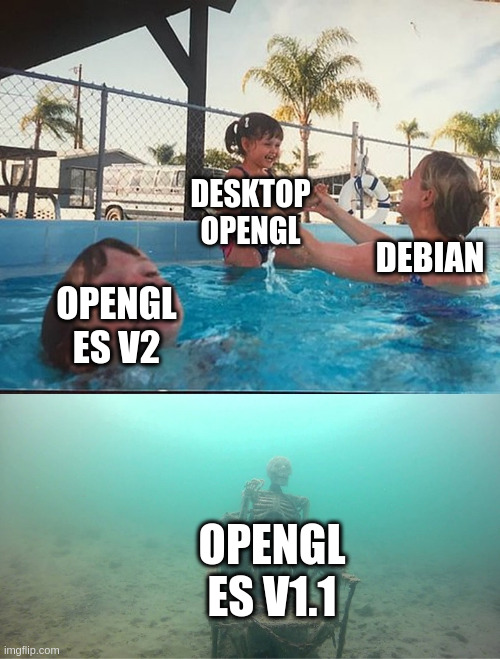
<p>This might seem like it explains my situation, except for one crucial detail: OpenGL ES v1.1 had worked perfectly on distributions like Debian Bookworm and Ubuntu 23.04, both of which had included this change.</p>

<p>For some reason, this change had not actually disabled OpenGL ES v1.1!</p>

<p>My question had changed from “why is OpenGL ES v1.1 not working” to “why was OpenGL ES v1.1 working in the first place?”</p>

<p>The answer to that comes only one year later.</p>

<h2 id="august-2018-enter-glvnd">August 2018: Enter GLVND</h2>

<p>Fun (and relevant) fact: if you use Debian, many OpenGL-related shared libraries (like <code class="language-plaintext highlighter-rouge">libGL.so.1</code>, <code class="language-plaintext highlighter-rouge">libOpenGL.so.0</code>, <code class="language-plaintext highlighter-rouge">libGLESv2.so.2</code>, <code class="language-plaintext highlighter-rouge">libEGL.so.1</code>, and many more) are not actually provided by your graphics driver. Instead they are provided by a project called <a href="https://github.com/NVIDIA/libglvnd">GLVND</a>. GLVND’s job is to provide a driver-agnostic OpenGL interface, that then forwards any API calls to your actual driver. This is beneficial for reasons beyond the scope of this blog post.</p>

<p>Anyways, on August 8th, 2018, OpenGL ES v1.1 support was <a href="https://salsa.debian.org/xorg-team/lib/libglvnd/-/commit/2b96b5c80e34acf4b27e118f57c0dd5361dee20d">enabled in Debian’s GLVND package</a><sup id="fnref:4" role="doc-noteref"><a href="#fn:4" class="footnote" rel="footnote">4</a></sup>. Reading the <a href="https://bugs.launchpad.net/ubuntu/+source/libglvnd/+bug/1782285">linked Launchpad bug</a> is actually quite interesting because:</p>

<ul>
  <li>It seems the maintainers believed that Mesa itself no longer supported OpenGL ES v1.1, which is patently false.</li>
  <li>And it reveals that OpenGL ES v1.1 support was enabled in GLVND anyways to support non-Mesa drivers (like NVIDIA’s<sup id="fnref:5" role="doc-noteref"><a href="#fn:5" class="footnote" rel="footnote">5</a></sup>).</li>
</ul>

<p>Debian’s use of GLVND interacted with a quirk of Mesa’s build-system in a really interesting way: you see, <code class="language-plaintext highlighter-rouge">--disable-gles1</code> did not actually disable OpenGL ES v1.1. Instead it only disabled building the <code class="language-plaintext highlighter-rouge">libGLESv1_CM.so.1</code> library, Mesa itself still included support for OpenGL ES v1.1. But Debian systems did not need Mesa’s <code class="language-plaintext highlighter-rouge">libGLESv1_CM.so.1</code> because GLVND provided one!</p>

<p>So GLVND’s <code class="language-plaintext highlighter-rouge">libGLESv1_CM.so.1</code> forwarded API calls directly to Mesa, completely bypassing the effects of <code class="language-plaintext highlighter-rouge">--disable-gles1</code>! Therefore, OpenGL ES v1.1 worked. Completely. By. Accident.</p>

<p>But it did not just work. It worked <em>well</em>. In fact, there was no sign that it was not supported!. All you had to do was install <code class="language-plaintext highlighter-rouge">libgles1</code> and it just worked.</p>

<p>Now that I knew why OpenGL ES v1.1 used to work, I could finally answer my first question: why did it stop working?</p>

<h2 id="may-2023-mesa-makes-an-objectively-good-change">May 2023: Mesa makes an objectively good change</h2>

<p>Remember when I said “<code class="language-plaintext highlighter-rouge">--disable-gles1</code> did not actually disable OpenGL ES v1.1?” Well, that was past-tense for a reason.</p>

<p>On May 19th, 2023, <a href="https://docs.mesa3d.org/relnotes/23.1.0.html">Mesa 23.1.0 was released</a>. And among its many changes, it made <code class="language-plaintext highlighter-rouge">--disable-gles1</code> actually remove the associated code. This version of Mesa was eventually included in Ubuntu 23.10 and Debian Trixie.</p>

<p>This is what broke OpenGL ES v1.1. Now that Mesa properly disables OpenGL ES v1.1, the GLVND workaround is broken.</p>

<h2 id="conclusion">Conclusion</h2>

<p>This situation annoyed me for multiple reasons. It annoyed me that OpenGL ES v1.1, which appeared to be fully supported, was actually only working by chance and had been unsupported for years. It annoyed me that Debian dropped support for OpenGL ES v1.1 seemingly without an explanation. And it <em>really</em> annoyed me that almost none of this information was written down anywhere accessible!</p>

<p>But ultimately, the damage has been done.</p>

<p>There is no reason for Mesa to revert what truly is a good change. Making disabling OpenGL ES v1.1 actually remove the associated code is the sensible thing to do. So the GLVND workaround is well and truly dead.</p>

<p>And considering that almost nobody uses OpenGL ES v1.1, I highly doubt Debian will ever re-enable it.</p>

<p>So, here we are. If you want to use OpenGL ES v1.1 on Debian, get ready to compile Mesa from source. It sucks, but at least it’s documented now.</p>

<div class="footnotes" role="doc-endnotes">
  <ol>
    <li id="fn:1" role="doc-endnote">
      <p>If you run Mesa’s <code class="language-plaintext highlighter-rouge">es2_info</code> with executable name <code class="language-plaintext highlighter-rouge">es1_info</code>, it will actually switch to OpenGL ES v1.1 mode. <a href="#fnref:1" class="reversefootnote" role="doc-backlink">&#8617;</a></p>
    </li>
    <li id="fn:2" role="doc-endnote">
      <p>There might be one buried in Debian’s enormous bureaucracy, but I would not know how to look for it. <a href="#fnref:2" class="reversefootnote" role="doc-backlink">&#8617;</a></p>
    </li>
    <li id="fn:3" role="doc-endnote">
      <p>This became <code class="language-plaintext highlighter-rouge">-Dgles1=disabled</code> when Mesa switched to Meson. <a href="#fnref:3" class="reversefootnote" role="doc-backlink">&#8617;</a></p>
    </li>
    <li id="fn:4" role="doc-endnote">
      <p>This is what any modern Debian system’s <code class="language-plaintext highlighter-rouge">libgles1</code> package is. <a href="#fnref:4" class="reversefootnote" role="doc-backlink">&#8617;</a></p>
    </li>
    <li id="fn:5" role="doc-endnote">
      <p>NVIDIA’s proprietary driver actually does include OpenGL ES v1.1 support. It shocked me too. <a href="#fnref:5" class="reversefootnote" role="doc-backlink">&#8617;</a></p>
    </li>
  </ol>
</div>]]></content><author><name>TheBrokenRail</name></author><summary type="html"><![CDATA[]]></summary></entry><entry><title type="html">How I Got Xfinity Stream to Work on Linux (a Tale of Widevine, Chrome OS, and a Patched `glibc`)</title><link href="https://thebrokenrail.com/2022/12/31/xfinity-stream-on-linux.html" rel="alternate" type="text/html" title="How I Got Xfinity Stream to Work on Linux (a Tale of Widevine, Chrome OS, and a Patched `glibc`)" /><published>2022-12-31T00:00:00-05:00</published><updated>2022-12-31T00:00:00-05:00</updated><id>https://thebrokenrail.com/2022/12/31/xfinity-stream-on-linux</id><content type="html" xml:base="https://thebrokenrail.com/2022/12/31/xfinity-stream-on-linux.html"><![CDATA[<p align="center"><img alt="Working Xfinity Stream" src="/assets/images/blog/xfinity-stream-on-linux/working.png" /></p>

<p><em>(If you want to skip to the tutorial, <a href="#how-do-i-actually-do-this">click here</a>.)</em></p>

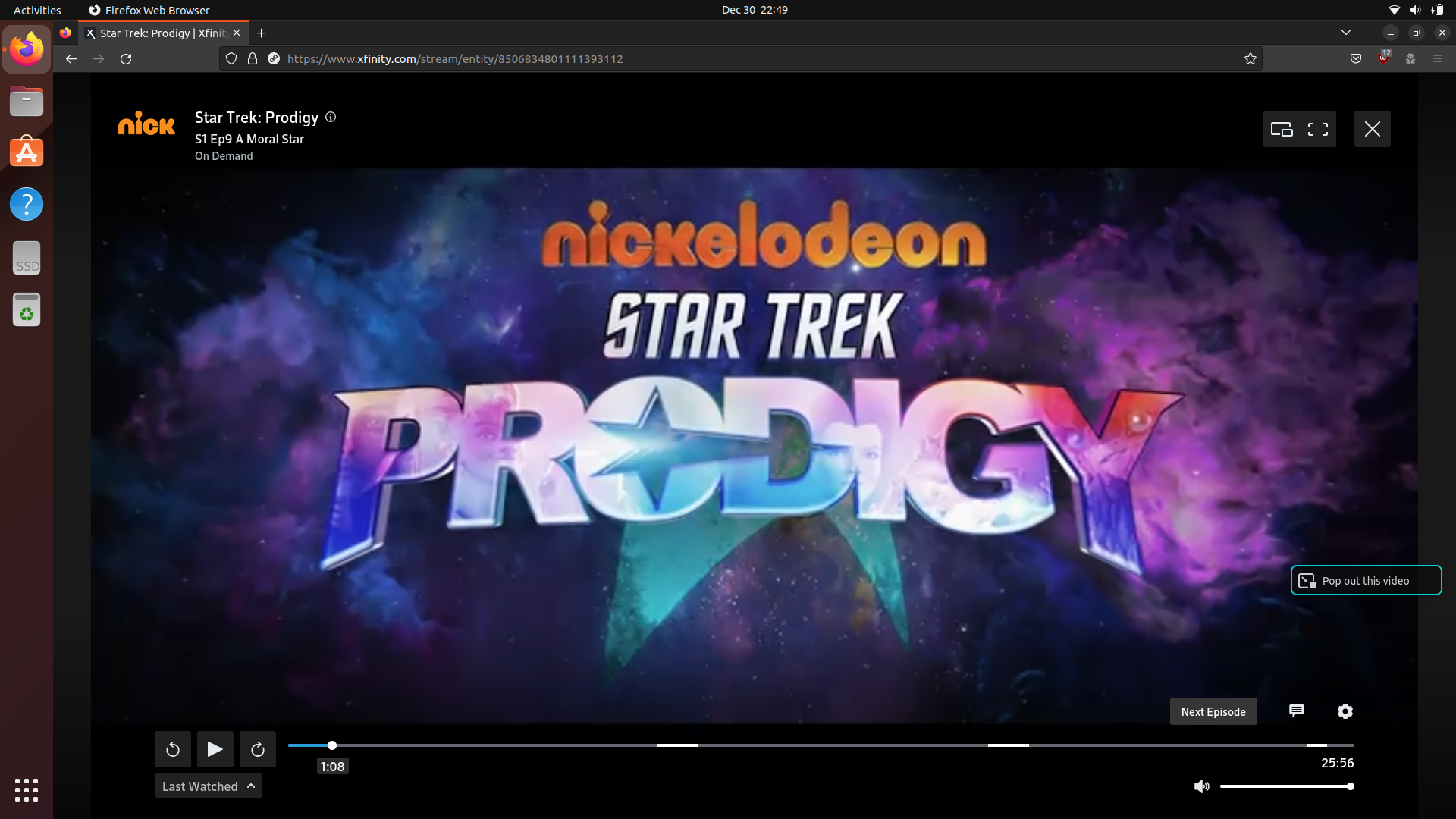
<p>If your household uses Xfinity for cable, you have almost definitely heard of <a href="https://www.xfinity.com/stream/">Xfinity Stream</a> at some point. If you haven’t, Xfinity Stream is a service that allows you to access Xfinity’s on-demand TV over the internet. This can be useful if you want to watch something on Xfinity’s on-demand TV but do not want to go to your actual TV.</p>

<p>This is nice because some media still goes to on-demand before its respective streaming service (if it even has one). And of course, if you are already paying for Xfinity, it is nice not to have to pay for another streaming service if you can avoid it.</p>

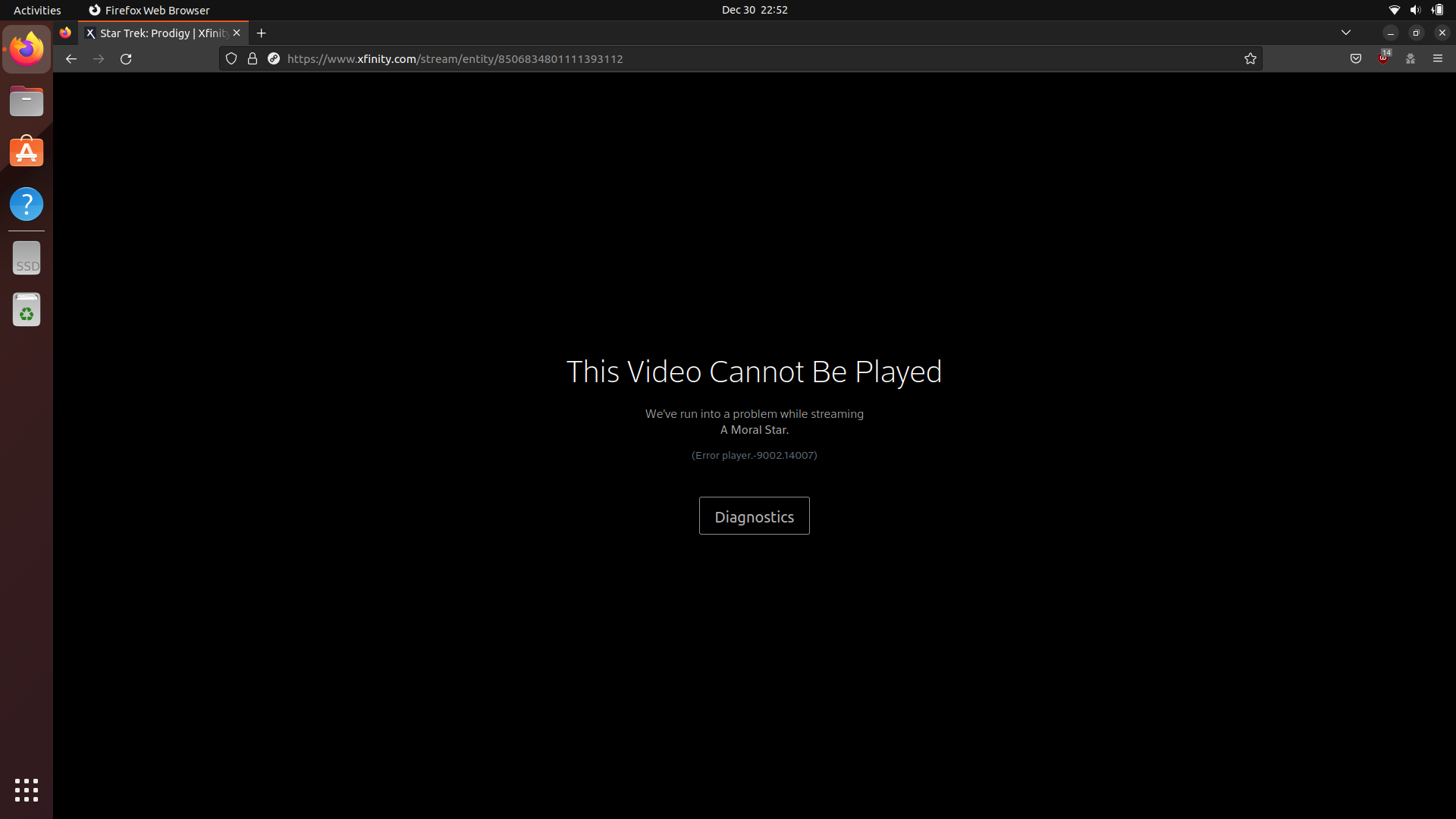
<p>However, it has some limitations as well, mainly that you can only access it on your local Xfinity network… and its completely arbitrary Linux block. That’s right, if you have ever tried to load Xfinity Stream on Linux, you will have seen this lovely error message:</p>

<p><img src="/assets/images/blog/xfinity-stream-on-linux/broken.png" alt="Broken Xfinity Stream" /></p>

<p>And if you look up that error message, you will find <a href="https://forums.xfinity.com/conversations/xfinity-stream-website/what-is-error-player900214007/602db156c5375f08cd4d3380">a common theme</a>: Xfinity Stream does not support Linux.</p>

<p>Also of note is that Xfinity Stream will <a href="https://www.reddit.com/r/linux/comments/q8mvb3/xfinity_stream_fully_blocks_linux_its_not_a/">refuse to load at all</a> on Google Chrome without changing your user-agent, but it will load on Firefox, just for it to fail when you try to watch anything.</p>

<h2 id="how-does-it-block-linux">How does it block Linux?</h2>

<p>One of the first methods I tried to use to bypass this block was changing my user-agent… just for the block to persist anyways. Which raised the question “how does Xfinity know I am running Linux?” Because if I can trick it into thinking I am running Windows or MacOS, then it should not be able to block me anymore.</p>

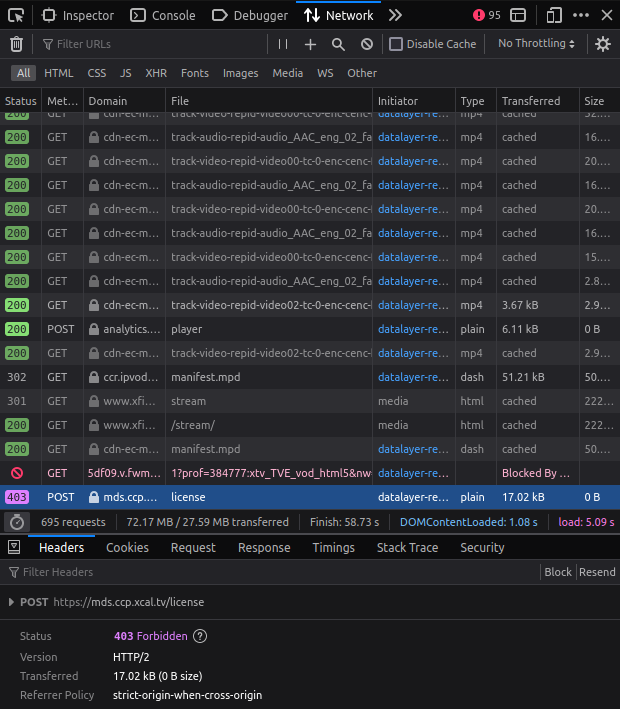
<p>So I dug into Firefox’s network logs, which led me to the source of the error:</p>

<p><img src="/assets/images/blog/xfinity-stream-on-linux/license-request.png" alt="Widevine License Request" /></p>

<p>This <code class="language-plaintext highlighter-rouge">POST</code> request was generated using the <a href="https://developer.mozilla.org/en-US/docs/Web/API/MediaKeySession/generateRequest"><code class="language-plaintext highlighter-rouge">MediaKeySession.generateRequest()</code></a> API, which isn turn used the browser’s built-in <a href="https://developers.google.com/widevine/drm/overview">Widevine CDM</a> to generate a DRM license request. At this point, I had formed a hypothesis: the Linux build of the Widevine CDM was embedding metadata into this request which Xfinity was using to block Linux.</p>

<h2 id="how-do-i-bypass-that">How do I bypass that?</h2>

<p>Unfortunately, just patching the Widevine CDM’s binary is beyond my skill set, especially since it is ridiculously obfuscated.</p>

<p>However, I eventually came to a realization: Xfinity Stream probably does not block Chrome OS, and Chrome OS is basically GNU/Linux internally. So I formed a plan: extract Chrome OS’s Widevine CDM from a recovery image, load it into Firefox, and try to use Xfinity Stream.</p>

<p>It did not work, at all.</p>

<p>The Widevine CDM immediately crashed, and when I tried to load it into a standalone program using <code class="language-plaintext highlighter-rouge">dlopen()</code>, it caused a segmentation fault before it even finished loading. This incredibly vague error stumped me for a while until I found <a href="https://github.com/xbmc/inputstream.adaptive/issues/678">this</a> incredibly helpful GitHub issue from a project that was trying to do something similar.</p>

<p>This GitHub issue revealed the problem: Chrome OS was not <em>exactly</em> GNU/Linux. Namely, it was complied with a feature that was not included in my version of <code class="language-plaintext highlighter-rouge">glibc</code> that Google had patched into their version: the <code class="language-plaintext highlighter-rouge">DT_RELR</code> relocation format.</p>

<p>With some more research, I learned that <code class="language-plaintext highlighter-rouge">glibc</code> had actually merged support for this feature in version 2.36! So I loaded Ubuntu 22.10 on a USB flash drive and tried loading Chrome OS’s Widevine CDM into my testing program again.</p>

<p>And it <em>still</em> did not work.</p>

<p>This time the error was slightly more helpful though: <code class="language-plaintext highlighter-rouge">DT_RELR without GLIBC_ABI_DT_RELR dependency</code>.</p>

<h2 id="what-in-the-world-is-a-glibc_abi_dt_relr-dependency">What in the world is a <code class="language-plaintext highlighter-rouge">GLIBC_ABI_DT_RELR</code> dependency?</h2>

<p>It turns out, the <code class="language-plaintext highlighter-rouge">glibc</code> maintainers <a href="https://maskray.me/blog/2021-10-31-relative-relocations-and-relr#time-travel-compatibility">actually agreed</a> with my earlier assessment: immediately causing a segmentation fault on older versions of <code class="language-plaintext highlighter-rouge">glibc</code> just because a program used the <code class="language-plaintext highlighter-rouge">DT_RELR</code> relocation format was not good behavior.</p>

<p>They decided that for every binary compiled with the <code class="language-plaintext highlighter-rouge">DT_RELR</code> relocation format, the linker would include a version dependency called <code class="language-plaintext highlighter-rouge">GLIBC_ABI_DT_RELR</code> on <code class="language-plaintext highlighter-rouge">libc.so.6</code>. This would cause any program using the <code class="language-plaintext highlighter-rouge">DT_RELR</code> relocation format to give a more sane error on older versions of <code class="language-plaintext highlighter-rouge">glibc</code>: <code class="language-plaintext highlighter-rouge">/lib/x86_64-linux-gnu/libc.so.6: version `GLIBC_ABI_DT_RELR' not found (required by ./program)</code>.</p>

<p>However, the <code class="language-plaintext highlighter-rouge">glibc</code> maintainers also decided to implement this functionality in reverse as well: <code class="language-plaintext highlighter-rouge">glibc</code> refuses to load any binary containing the <code class="language-plaintext highlighter-rouge">DT_RELR</code> relocation format that does not also contain the <code class="language-plaintext highlighter-rouge">GLIBC_ABI_DT_RELR</code> version dependency. I do not know why they did this, but this is what caused the previous error. This is because Chrome OS’s toolchain evidently predates <code class="language-plaintext highlighter-rouge">GLIBC_ABI_DT_RELR</code> so it was never included when linking the Widevine CDM.</p>

<p>Originally, I tried to patch the Widevine CDM binary to include the <code class="language-plaintext highlighter-rouge">GLIBC_ABI_DT_RELR</code> version dependency using <a href="https://github.com/lief-project/LIEF">LIEF</a>. However, the resulting binary was invalid and caused a segmentation fault when started. Ultimately, I decided to instead remove the check itself from <code class="language-plaintext highlighter-rouge">'glibc</code> manually.</p>

<p>The <code class="language-plaintext highlighter-rouge">GLIBC_ABI_DT_RELR</code> check was quite trivial to patch out of <code class="language-plaintext highlighter-rouge">glibc</code> (although waiting for <code class="language-plaintext highlighter-rouge">glibc</code> to compile was certainly tedious). And once done, I was able to load up Firefox with Chrome OS’s Widevine CDM… and Xfinity Stream finally worked on Linux!</p>

<h2 id="how-do-i-actually-do-this">How do I actually do this?</h2>

<ol>
  <li>Install a Linux distribution that contains <code class="language-plaintext highlighter-rouge">glibc</code> v2.36 or higher. I would also recommend taking a backup or using a more disposable installation medium such as a USB flash drive or a VM.
    <ul>
      <li>You could use an older version of <code class="language-plaintext highlighter-rouge">glibc</code> if you really want to, but you would have to patch in support for the <code class="language-plaintext highlighter-rouge">DT_RELR</code> relocation format yourself.</li>
    </ul>
  </li>
  <li>Use this script to patch <code class="language-plaintext highlighter-rouge">glibc</code> (this script is Debian-specific, but it should not be too hard to adapt it to other distributions):
    <div class="language-sh highlighter-rouge"><div class="highlight"><pre class="highlight"><code><span class="c">#!/bin/sh</span>

<span class="nb">set</span> <span class="nt">-e</span>

<span class="c"># Create Working Directory</span>
<span class="nb">rm</span> <span class="nt">-rf</span> glibc-work
<span class="nb">mkdir </span>glibc-work
<span class="nb">cd </span>glibc-work

<span class="c"># Download Sources</span>
apt-get <span class="nb">source </span>glibc
<span class="nb">cd </span>glibc-<span class="k">*</span>

<span class="c"># Patch</span>
patch <span class="nt">-p1</span> <span class="o">&lt;&lt;</span> <span class="no">EOF</span><span class="sh">
--- glibc-master-old/elf/dl-version.c
+++ glibc-master/elf/dl-version.c
@@ -362,7 +362,7 @@
   /* When there is a DT_VERNEED entry with libc.so on DT_NEEDED, issue
      an error if there is a DT_RELR entry without GLIBC_ABI_DT_RELR
      dependency.  */
-  if (dyn != NULL
+  if (0 &amp;&amp; dyn != NULL
       &amp;&amp; map-&gt;l_info[DT_NEEDED] != NULL
       &amp;&amp; map-&gt;l_info[DT_RELR] != NULL
       &amp;&amp; __glibc_unlikely (!map-&gt;l_dt_relr_ref))
</span><span class="no">EOF

</span><span class="c"># Commit Patch</span>
<span class="nv">EDITOR</span><span class="o">=</span><span class="s1">'/bin/true'</span> dpkg-source <span class="nt">-q</span> <span class="nt">--commit</span> <span class="nb">.</span> disable-GLIBC_ABI_DT_RELR-check.patch

<span class="c"># Update Package Version</span>
<span class="nv">EMAIL</span><span class="o">=</span><span class="s1">'example@example.com'</span> dch <span class="nt">-n</span> <span class="s1">'Disable GLIBC_ABI_DT_RELR Check'</span>

<span class="c"># Disable Testing</span>
<span class="nb">export </span><span class="nv">DEB_BUILD_OPTIONS</span><span class="o">=</span>nocheck

<span class="c"># Build</span>
dpkg-buildpackage <span class="nt">-us</span> <span class="nt">-uc</span>

<span class="c"># Install</span>
<span class="nb">sudo </span>apt-get <span class="nb">install</span> <span class="nt">-y</span> ../<span class="k">*</span>.deb
</code></pre></div>    </div>
  </li>
  <li><a href="https://chromiumdash.appspot.com/serving-builds?deviceCategory=Chrome%20OS">Download</a> an x86_64 Chrome OS recovery image. I used the stable version of <code class="language-plaintext highlighter-rouge">atlas</code>, which was Chrome OS v107 at the time of writing.</li>
  <li>Extract <code class="language-plaintext highlighter-rouge">/opt/google/chrome/WidevineCdm/_platform_specific/cros_x64/libwidevinecdm.so</code> from the image.</li>
  <li>Browser-specific steps:
    <ul>
      <li>Google Chrome
        <ol>
          <li>Copy <code class="language-plaintext highlighter-rouge">libwidevinecdm.so</code> to <code class="language-plaintext highlighter-rouge">/opt/google/chrome/WidevineCdm/_platform_specific/linux_x64/libwidevinecdm.so</code>.</li>
          <li>You will need to use the Chrome Developer Tools user-agent switcher when using Xfinity Stream. Other user-agent switcher extensions do not appear to work.</li>
        </ol>
      </li>
      <li>Firefox
        <ol>
          <li><a href="https://www.omgubuntu.co.uk/2022/04/how-to-install-firefox-deb-apt-ubuntu-22-04">Install</a> a non-Snap/Flatpak version of Firefox. This is needed because we need Firefox (and therefore the Widevine CDM) to use the host’s <code class="language-plaintext highlighter-rouge">glibc</code>.</li>
          <li>If you are using the Firefox build from <code class="language-plaintext highlighter-rouge">ppa:mozillateam/ppa</code>, you will also need to <a href="https://askubuntu.com/a/1439304">modify Firefox’s AppArmor configuration</a> so that the Widevine CDM does not crash.</li>
        </ol>
      </li>
    </ul>
  </li>
  <li>Use Xfinity Stream!</li>
  <li>You will need to re-patch <code class="language-plaintext highlighter-rouge">glibc</code> every time your distribution releases an updated version.</li>
</ol>

<h2 id="conclusion">Conclusion</h2>

<p>All in all, this whole situation is ridiculous. It should not be <em>this</em> much harder to access media legally than it is to pirate. It is insane how much effort we as a species waste on this DRM that <em>does not stop anybody</em>. If I wanted to pirate anything, I could probably pull up a high-resolution copy in under an hour with minimal effort. But instead, because I tried to access this media the legal way, I have to either go through this whole complicated process or set up an entirely different operating system solely for that purpose. That is so unbelievably silly. The only reason I can remotely justify the time spent on this is because it was more enjoyable than watching whatever it was I was originally planning to watch!</p>

<p>In all honesty, if you want to use Xfinity Stream, I would recommend just setting up a Windows VM. It will probably be much more resistant to whatever nonsense Xfinity or Google try to pull in the future. But if you would rather not watch it at all than set up a Windows VM like me, well here is your method.</p>]]></content><author><name>TheBrokenRail</name></author><summary type="html"><![CDATA[]]></summary></entry></feed>